JoomlaWorks Blog

JoomlaWorks is developing and supporting some of the most respected and popular extensions in the Joomla! community, including the groundbreaking K2, AllVideos, Simple Image Gallery and Frontpage Slideshow. Since 2006 we have developed more than 26 extensions for the Joomla! CMS, all of which have been used in hundreds of thousands of Joomla! sites across the world. Late 2010, our extensions had been downloaded more that 4 million times, out of which AllVideos and Simple Image Gallery had more than 1.5 million downloads each and K2 more than 350,000! Innovation and the open source philosophy are the two things that motivate us!
  1. Simple Image Gallery Pro v4.0 is now available! New super-modal, modern CSS/JS everywhere, new layouts & more!

    Simple Image Gallery Pro v4.0 is now available to download for subscribers. A major release that introduces a new super-modal, modern CSS/JS everywhere, new layouts & many more features!

    Following July's v3.10 release where Simple Image Gallery Pro was updated to support PHP up to 8.5 (when used with Joomla 3.x UTD), introduced WebP thumbnails & more, we are happy to announce a major update with v4.0, which lays the ground for v5.0, which will support Joomla 3.x UTD to Joomla 6.

    Here's a summary of changes in v4.0:

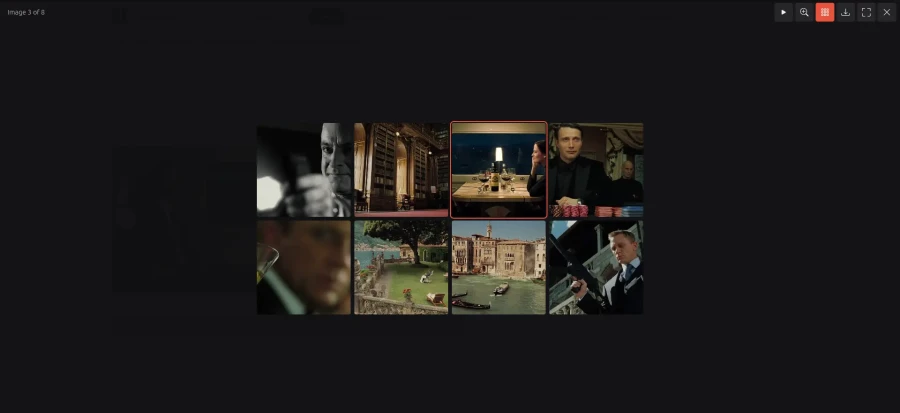
    • New default modal: "SIGPro Modal", a modern, dependency-free modal (no jQuery) with swipe, zoom, grid view and slideshow. THE modal (what we previously called "popup engine") to rull them all!
    • Modern frontend: all layouts rebuilt on CSS Grid or vanilla JavaScript, with no layout shift and per-device columns; gallery pages no longer need jQuery.
    • Faster, lighter images: three resized copies of every image (300/600/1200px) with srcset, which also serve as the thumbnails, rebuilt only when an image changes. Older galleries will be convered and moved on-the-fly under the /media/jw_sigpro/ directory and only refreshed when an image actually changes!
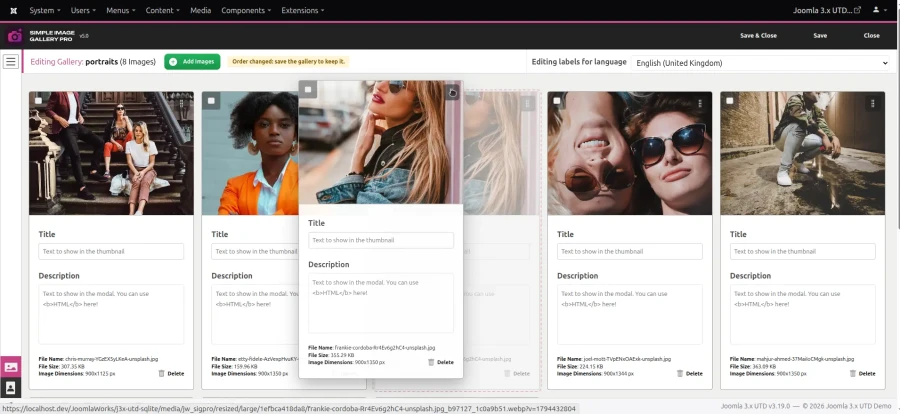
    • New backend workflow: a new uploader and the much requested drag and drop sorting in the gallery editor, plus a gallery list with infinite scrolling by default (with classic pagination still available).
    • Security & maintenance: various security issues resolved, combined with the removal of many third-party scripts (and updates to latest versions for anything that is still maintained)
    • Look & feel: We got a new logo (1) and the backend is now lighter with SVG icons throughout; fully tested on Joomla 1.5, 2.5, 3.x & 3.x UTD, including the new admin template (Prothero) in Joomla 3.x UTD.
    • Fully responsive on all devices! Probably the simplest way to create image galleries on mobile, anywhere in Joomla.
    New features:

    • Modals:
      • SIGPro Modal: arrows, keyboard and swipe navigation, pinch/double-tap/button zoom, thumbnail strip, in-place grid view, slideshow, light/dark theme, downloads, captions with HTML. It is the default for new installs (existing sites keep their modal). Styled with CSS variables (--sigm-*) and an optional modal.css in your template; JavaScript API SIGProModal.open()/.frame()/.close(). The one modal to rule them all!
      • SIGPro Modal also opens links marked up for the older modals (data-fancybox, data-lightbox, rel="prettyPhoto[...]" etc.), so existing overrides keep working.
      • Lightbox 3 (no jQuery, touch gestures), replaces Lightbox2.

    • Layouts:
      • New Carousel layout (swipe/drag/arrows, wrap-around, caption over the slide, page dots), Flickity-like without any library.
      • Galleria and Slickshow (formerly SlickShow1) rewritten without jQuery/Slick: a fixed-shape image stage, thumbnail rows as wide as the stage (Galleria) or a swipeable/draggable slider with a scrolling strip (Slickshow), and no page jumps. Their behaviour is now reusable by other layouts (data-sigpro-ui="stage|slider", media/jw_sigpro/assets/js/frontend.js).
      • All grid layouts on CSS Grid, with new settings for the number of columns on desktops/tablets/phones and the thumbnail aspect ratio. Thumbnails are real, lazy-loaded images and captions are clamped to two lines.
    • Images:
      • Three resized copies per image (Settings > Basic, default 300/600/1200px wide, never enlarged) in media/jw_sigpro/resized/{small,medium,large}. Thumbnails are the small one (medium on sharp screens), links and modals use the large one and SIGPro Modal gets all three as srcset; downloads still give the original.
      • "Custom order": the new default order, as arranged in the gallery editor, saved for all languages and used by the galleries.
      • New image orderings added: date modified, newest or oldest first.
      • New "Image processor" option (Auto / ImageMagick / GD).
    • Backend:
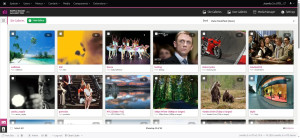
      • Gallery editor: drag and drop sorting (mouse, touch and keyboard), a built-in uploader that replaces Plupload (drag and drop, checks before uploading, progress per file), previews in SIGPro Modal and a responsive grid.
      • Gallery list: CSS Grid with a preview of each gallery's first image, plus infinite scrolling or pagination (new "Backend" settings tab).
      • Phone-friendly backend: menu button, no sidebar, compact toolbars and footer, Settings sections as a swipeable strip.
      • "Folders to hide" (Settings > Backend): folders that aren't galleries (e.g. JCE's thumbnails) are left out of the gallery list.
      • "Plugin tag name" (Settings > Advanced): e.g. {mygallery} instead of the class `gallery` tag in braces, so you can easily replace other copycats that used similar tags (cause let's not forget it was JoomlaWorks who brought image galleries inside content first, as a plugin tag you could easily position anywhere, while everyone else was busy cloning Coppermine in Joomla...)
      • Editor button: the gallery picker opens in the new SIGPro Modal, the same way in every component (no jQuery/FancyBox, no more VirtueMart/K2 special cases).

    Improvements:

    • SIGPro's own JavaScript, both on the site and in the backend, is now plain JavaScript with no library. jQuery is only loaded for the older modals, old SlickShow1 layout overrides and the media manager (elFinder).
    • Thumbnails are the small/medium resized copies (srcset) instead of separate files. Generated images live in media/jw_sigpro/resized (Joomla's "Clear Cache" no longer wipes them) and never expire: they're rebuilt only when an image or the width/quality settings change. Image URLs carry a ?v= version, so replaced images aren't served from old caches. The old thumbnail cache (cache/jw_sigpro, removed on upgrade) and the "Smart thumbnail resize" setting are gone.
    • Labels files get an image time column (file|title|description|time); older SIGPro versions still read them.
    • The backend uses the admin template's font instead of loading Open Sans from Google Fonts.
    • Backend icons are Bootstrap Icons SVGs instead of the Fontello icon font, and the PNG logos/icons were replaced by SVGs (header, admin menu, editor button, installer).
    • Third-party scripts: elFinder trimmed to what SIGPro uses (5.1 MB → 3.1 MB), and CDN files load from jsDelivr first (with CloudFlare's cdnjs second). FancyBox stays on its last v3 release; Strip, Fresco and Magnific Popup are updated within their versions.
    • Media manager on phones: fills the screen, keeps its state when the window resizes, starts without the folder tree and with a compact toolbar.
    • Upgrades now remove files SIGPro no longer ships, and the settings of removed modals/layouts are switched automatically.
    • Default image quality is bumped to 85% for all resized copies. Ideal for crisp WebP thumbnails.
    • PHP code follows PSR-12 and still runs on PHP 5.6 to 8.5.

    Security fixes:

    • Various security issues resolved (all low severity though).
    • Media manager: restrict reading of server-side files and no SVG uploads. Uploads with double extensions are rejected and ImageMagick decodes strictly by file type.
    • elFinder 2.1.70 (fixes three CVEs) and Magnific Popup 1.2.0 (CVE-2024-5647). The abandoned modals were removed (Colorbox, Highslide, Lightview, Nivo Lightbox, prettyPhoto, Slimbox, Swipebox, SimpleBox); sites that used them switch to SIGPro Modal automatically.
    • Privacy: the awesome wsrv.nl image resizing service is no longer needed and as such was removed.

    Bug fixes:

    • Images: fatal error with older ImageMagick setups (Imagick::autoOrient()); ImageMagick errors on PHP 7+ now fall back to GD; missing GD functions show a notice instead of a fatal error.
    • Galleries: Flickr gallery captions on PHP 7.4+; folder names with special characters in tags; a missing or mistyped layout/modal now falls back to Classic/SIGPro Modal.
    • Backend: galleries in subfolders (e.g. Culture/Dance) couldn't be deleted, while SIGPro reported them deleted (it now also says when a folder couldn't be removed); saving K2/user galleries or other languages returned to the wrong gallery; system messages hidden with some admin templates (e.g. Prothero).

    Upgrade notes:

    • Template overrides of the grid, Galleria or Slickshow layouts made for older versions may need updating, because the markup and CSS classes changed (see CHANGELOG). Sites with an old default.php override of Galleria/GalleriaWhite keep working without jQuery, those of SlickShow1 with jQuery.
    • ResponsiveBlue was removed (it renders as Classic). GalleriaWhite and Seamless_CSS_Grid are aliases of Galleria and Seamless.

    If you have any custom gallery layouts, you may have to slightly modify them to play nice with PHP 8.x.

    As always, send a ticket in our helpdesk system for assistance with such matters...


    MORE SCREENSHOTS

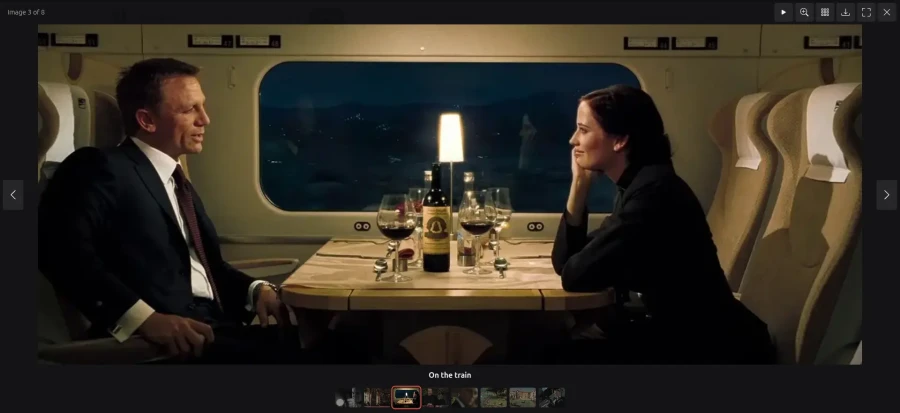
    {gallery}extensions/sigpro/v4.0{/gallery}


    COMING UP NEXT...

    Version 4.0 is the last release to support Joomla 1.5, 2.5 & 3.x (and 3.x UTD).

    The upcoming version 5.0 (which is currently being tested & finalized in the coming days) supports Joomla 3.x, Joomla 3.x UTD, Joomla 4, Joomla 5 & Joomla 6.

    SIGPro v5.0 builds on the foundation of v4.0 and besides supporting the latest Joomla releases:

    • It "cleans up house", meaning all "popup engines" are now replaced by our new super-modal!
    • It introduces new & awesome galleries layouts, including new sliders/carousels for immersive photo presentations!
    • Dynamic image filters (e.g. grayscale, mix with background colors or gradients etc.)
    • Backend gallery search
    • A new media manager (this is slated for v5.1 or v5.2)
    • TinyMCE integration (and by extension JCE) for real gallery previews inside the editor window! (also slated for v5.1 or v5.2)
    • ...and many other smaller refinements, that keep SIGPro's crown as THE best image gallery for Joomla!


    DEMO

    The JoomlaWorks demo site has been updated to the latest Simple Image Gallery Pro release. Have a look here: https://demo.joomlaworks.net/simple-image-gallery-pro


    DOWNLOAD

    If you have an active Simple Image Gallery Pro membership, just head over to the Member Dashboard at https://www.joomlaworks.net/members and grab your copy from your "Subscriptions" page.

    Or purchase this latest release from just 19.90 EUR. More info at: https://www.joomlaworks.net/extensions/commercial/simple-image-gallery-pro


    UPGRADING

    Just upload the new version and it will overwrite the old one.

    For more help, please visit the updated documentation page for the extension at: https://www.joomlaworks.net/support/docs/simple-image-gallery-pro

    For support questions please use our Helpdesk system included in your Member Dashboard at https://www.joomlaworks.net/dashboard (active product membership required).
  2. Joomla 3.x UTD v3.18 released: refinements, stability & continued evolution

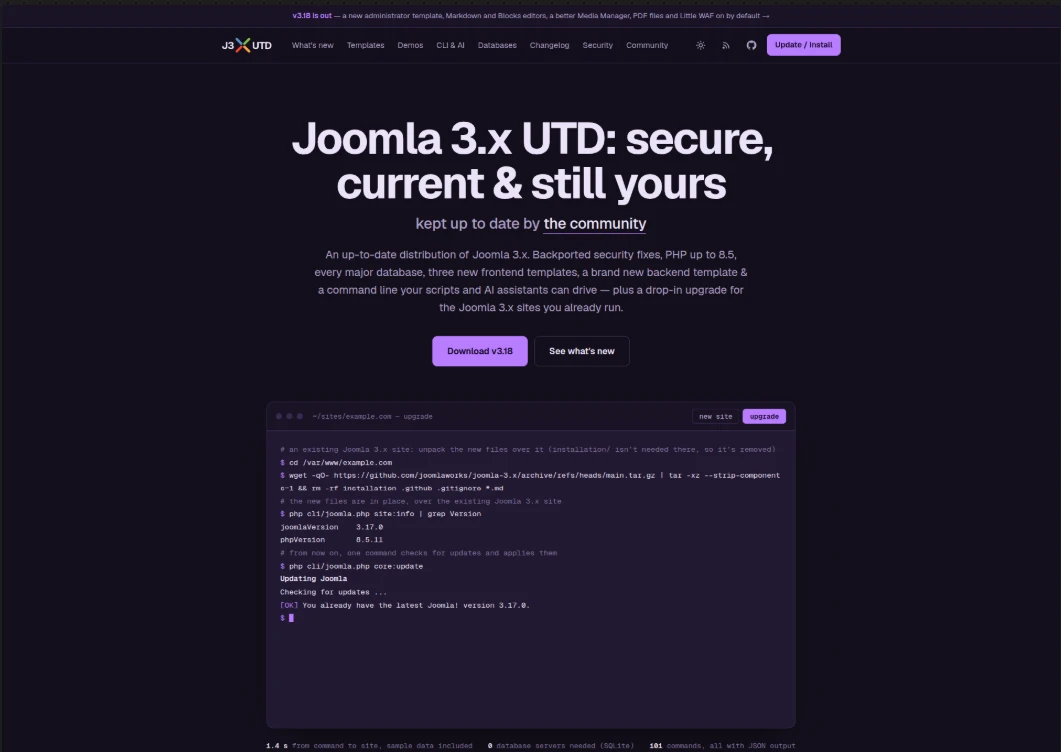
    Following on the heels of v3.17 — our milestone release that introduced a brand new installer, three modern frontend templates, full multi-database support (including SQLite), and a built-in MCP server for AI workflows — Joomla 3.x UTD v3.18 is officially out!

    A new administrator template, Markdown and Blocks editors, a much better Media Manager, PDF files, Little WAF on by default and caching that holds up under real traffic, with no jQuery, MooTools or Bootstrap left in the core. On top of that, 12 security fixes and a long list of bugs stock Joomla 3 never got round to.

    For a more visual walkthrough of all new features, you can check out the updated site for v3.18 of Joomla 3.x UTD at: j3xutd.joomlaworks.net

    What’s New in v3.18

    Here is a summary of the key enhancements, fixes, and refinements included in this release:

    Summary of changes:

    • Much more of the core can be removed, cleanly: Articles, Private Messages, Privacy, Redirect, Tags, Wrapper, the Breadcrumbs and Syndication Feeds modules and CodeMirror can be uninstalled (using K2 instead of Articles? uninstall Articles, the rest keeps working). A component takes its tables, modules, plugins, media, Smart Search entries and menu items along, and "Restore uninstalled core extensions" brings them back
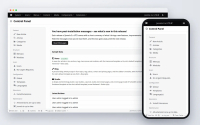
    • Prothero, a new black and white administrator template with a dark mode, the default on new sites (Isis stays, and works with the same extensions)
    • New editors: Markdown (EasyMDE) and Blocks (Editor.js), next to TinyMCE 8, and an editor switcher in the administrator for moving between TinyMCE, TinyMCE (legacy), Markdown and Blocks without losing unsaved changes; PDF files shown on the site with a viewer & a new editor button to make attaching PDF documents with inline previews a breeze!
    • A better Media Manager: drag and drop uploads, cropping, renaming in place, large previews of images, audio, video and PDF files, and optimised uploads (upright, WebP, no metadata)
    • Little WAF, on by default: blocks scans, attack tools, executable uploads and object injection, sends safe security headers and cleans up the malformed addresses crawlers make up
    • Faster, sturdier caching: campaign and social links get cached pages, a page is rendered once however many visitors ask for it, stale pages keep a busy or failing site answering, and cache times are exact across Joomla, Varnish, CDNs and browsers, and the file cache reads about 30% faster
    • Redirects how you want them, not just for error pages: create custom redirects as you like
    • Structured data, Open Graph and X cards for every page
    • CAPTCHA plugins: Updated Google's reCAPTCHA to support all active versions & added new ones for Cloudflare Turnstile, hCaptcha, Akismet and IconCaptcha (fully self-hosted)
    • No jQuery, jQuery UI, MooTools or Bootstrap in the core: one shared plain JavaScript file (global.js) does the work, and old names keep working for extensions. Tested extensively on many popular large extensions (K2, VirtueMart, HikaShop, JEvents, JCE, Convert Forms, AcyMailing, Community Builder and others)
    • Smart Search fixes for large sites (#9, #21, #23), more PHP 8.2–8.5 fixes (#20)
    • An amazing new debug console: a button at the bottom right opens a panel with tabs (time, memory, queries, errors), light and dark

    Every change is described in detail in CHANGELOG.md.

    New features:

    • Administrator:
      • Prothero: Isis' markup with a minimal black and white look, light and dark colour schemes (automatic by default), a choice of colours for the menu bar and a matching login page; the installer asks which administrator template to use
      • Editor switcher: switch between TinyMCE, TinyMCE (legacy), Markdown and Blocks for the session, without losing unsaved changes; a Default Editor (Site) option for front-end editing
      • The debug console opens from a button at the bottom right, as a panel with tabs (time, memory, queries, errors), light and dark
      • System Information lists the bundled third-party software (version, licence, home page; outdated software marked), and a "System Information" module sits beside the Control Panel's quick icons
    • Content:
      • "Editor - EasyMDE (Markdown)": write in Markdown, with preview, side by side and drag and drop uploads; content is still saved as HTML
      • "Editor - Blocks (Editor.js)": write content as blocks (headings, lists, images, embeds, quotes, tables, code, notes, HTML, Read more), saved as HTML which the site template's block layouts decide; templates add blocks of their own (Rookwood: Hero, Testimonials, Services); a preview at desktop, tablet and phone widths; a "Custom Blocks" module
      • "Custom Code" module (site and administrator): your own HTML, CSS, JavaScript or embeds, written in CodeMirror and output as it is
      • PDF files: a viewer on the site ({pdf images/file.pdf}), a PDF button in the editors, previews in TinyMCE, the Blocks editor and the Media Manager; each sample data set shows one in an article
    • Media Manager: drag and drop uploads into the folder shown (also in the image picker), cropping (free or 21:9 to 1:1, as a new file or over the original), renaming files and folders in place, square thumbnails you can make smaller or larger, large previews of images (with the arrow keys), audio, video and PDF files. Images uploaded in the editors are turned upright, saved as WebP, stripped of their metadata (GPS included) and filed in dated folders; resizing and a copy for phones (with srcset written by the editors) are options, and media:optimize does the same for existing images
    • Security:
      • Little WAF's generic protections (whatever extensions a site has), security headers (safe ones on by default) and URL Normalizations; an optional secret key in the administrator's address
      • Four new CAPTCHA plugins: Cloudflare Turnstile, hCaptcha, Akismet (spam filtering without a challenge) and IconCaptcha (self-hosted, no keys, enabled); one Google reCAPTCHA plugin for the checkbox, invisible and score (v3, new) types
    • Redirects: any address can be redirected, on the site or elsewhere (301 or 302), with matching that ignores case, slashes and index.php/, query strings passed on, loops refused and chains warned about; errors (404 and others) collected into a list of their own (off by default) with a "Create Redirect" button; import that checks every line
    • Search engines and social networks: "System - Structured Data & Social Tags" writes Google structured data (JSON-LD), Open Graph and X card tags for every page, with any template; the type of articles (Article, News Article, Blog Post, Review, Recipe...) per site, category or tag
    • Caching: the page cache ignores tracking parameters (utm_*, fbclid, gclid... editable in Global Configuration), has its own times for the home page and other pages, serves stale pages while one request refreshes them (and instead of an error page), sends Age, s-maxage, stale-while-revalidate, stale-if-error and X-Logged-In for Varnish and CDNs, and the file cache reads about 30% faster
    • For developers: behaviour from markup (data-validate, data-tooltip, data-searchable... without a call in the view), <jdoc:include type="footer" /> for the CMS's scripts at the end of the page, addPreconnect()/addDnsPrefetch()/addPreload() also sent as Link: headers (Early Hints), console plugins adding command line commands (CLI-GUIDE.md), and PostgreSQL understanding MySQL-style backticks; see API-GUIDE.md

    Improvements:

    • Clean Cache tells you how much it removed: how many items and how much data
    • The Clear Cache page shows one list on Memcached, Redis, APCu and WinCache, which keep one cache for the site and the administrator, instead of two identical tabs
    • Clear Expired Cache is now a button on the Clear Cache page, not a page of its own. Memcached and Redis remove expired items by themselves, so there the page says that instead
    • Memcached compression is on by default for new sites: cached pages take far less memory
    • Plain JavaScript instead of jQuery, jQuery UI, MooTools and Bootstrap's scripts throughout the core: modals, tooltips, tabs, searchable lists (Chosen rewritten, same look), search tools, subforms, drag and drop reordering (with touch), date fields (the browser's date input; Jalali for Persian), colour fields (the browser's colour picker), show-on fields, the Media Manager and Joomla Update; old names and jQuery plugin calls keep working for extensions, and MooTools stays available for those that ask for it
    • Bootstrap Icons replace IcoMoon (the icon-* classes keep working), core icons are SVGs in the text's colour, and the language flags are redrawn
    • Isis and Protostar are plain CSS (no more Less; Isis' stylesheets about a third of their former size), wider form fields in the administrator, and no files for old Internet Explorer anywhere
    • Hammond, Finch and Rookwood send resource hints (also as Link: headers for Early Hints), and every page's stylesheets and scripts are sent as preload headers
    • Hammond, Finch and Rookwood: give a module the class wide to take it from one side of the window to the other (e.g. a slideshow on the home page)
    • Updated libraries: PHPMailer 7.1.1 (was 5.2.28), CodeMirror 5.65.21 (with a dark theme), jQuery UI 1.14.2 (for extensions still requiring it), SimplePie 1.9.0 (for extensions still requiring it), Symfony Yaml 4.4, sodium_compat 1.24.2; removed: HTML5 Shiv, Google's reCAPTCHA client, unused web service libraries and polyfills for PHP below 7.1
    • Media Manager: current file types uploadable by default (WebP, AVIF, MP4, WebM, MP3, Opus, FLAC, Office...; SVG deliberately not), uploads up to 128 MB, a name already taken gets the time added instead of failing
    • The core system plugins run in a better order (Little WAF, Redirect, Language Filter, Remember Me and Page Cache first), so cached pages skip third-party plugins' work
    • Sites updating get TinyMCE 8 as default editor (when they used TinyMCE 4) and Prothero as administrator template (when they used Isis); the "What's New" message lists what to check after updating
    • PostgreSQL 9.5 is now the minimum (was 9.0); the distribution's PHP code follows PSR-12

    Security fixes:

    • TinyMCE updated to 8.10.1, which fixes a way to slip harmful code into content through its media plugin
    • Hammond, Finch and Rookwood no longer show the full text of restricted articles to visitors who aren't allowed to read them
    • Media Manager uploads can no longer end up in a folder outside the media folder, and dangerous file types are caught however their names are capitalised
    • Extensions can no longer accidentally open the page to harmful code through the links, scripts and styles they add
    • Command line: importing a database file can no longer run hidden commands, and an AI assistant given write access can no longer create administrators unless it was explicitly allowed to install code

    Bug fixes:

    • Administrator:
      • Lists no longer make the page scroll sideways on tablets and narrow windows: the least important columns are hidden, only as many as needed to fit
      • Modules dragged to a new place in the Modules list now stay there
      • The windows opened by the editor's buttons and by image fields fit on phones and small tablets
      • Checkboxes in lists line up with the text beside them
      • Smaller fixes in Language Overrides, menu assignments, module ordering, Smart Search, Banners, the extension installer, two-factor authentication and Install from Web
    • Site and templates:
      • Some third-party modules no longer lose their module container (title, classes and layout) once caching is on
      • Hammond, Finch and Rookwood show an Edit link to users who may edit an article, as Joomla's own layouts do
      • Hammond, Finch and Rookwood: subcategory lists expand, Smart Search's advanced options open, search suggestions no longer cover the Search button, the image picker for front-end editing looks right, and form lists follow the dark themes
      • Rookwood's main menu and Protostar no longer make the page scroll sideways at some widths
      • Pages without a menu item of their own (login, tags, search...) no longer get "Site - Site" as their title
      • Error pages show the right error, and a site whose template was deleted shows another template instead of an error
      • Deleting a menu item no longer hides modules shown "on all pages except" that item
      • The password reset form checks the email address before sending
    • Media Manager: common file types the settings allow (icons, OpenDocument files, older Excel and PowerPoint files) upload again, refused files get a clear message, and videos in subfolders play
    • Search and Smart Search:
      • Rebuilding the Smart Search index no longer stops partway on MySQL and MariaDB, nor from the command line
      • Searching by date works with only a start or an end date, and the "All" results setting shows results
      • Searches find words typed without accents, also in Greek and other alphabets, and search suggestions work on SQLite
    • Caching (bugs inherited from Joomla 3):
      • If the cache server can't be reached, runs out of memory or asks for a password, the site keeps working without the cache. Before, some of these cases showed an error on every page, including the administrator, where the setting could have been changed. Administrators now see a warning.
      • When several visitors ask for the same page at once, only one builds it on Redis and APCu too (it already worked this way on Memcached and the file cache), which matters most during traffic spikes.
      • Clear Expired Cache now really removes expired items on APCu.
      • The Clear Cache page and the command line now say when cleaning failed, instead of reporting success.
      • Memcached works with very long cache times (over 30 days) and over a socket file.
      • Clearing the cache works on large, busy sites with file or Memcached caching, Memcached no longer slows down as the cache grows, and Redis clears faster and shows true sizes
      • Clear Expired Cache also cleans the site's cache (it only cleaned the administrator's)
      • A damaged cache entry no longer shows visitors an empty page
      • Browsers can reuse cached pages they already have, and forms on cached pages work for every visitor
      • Visits from social media or newsletter links (with tracking codes) no longer change what cached pages show others
      • Clearing the cache only clears this site's cache, also from the command line
    • Databases:
      • Lists no longer show some items twice and skip others when going from one page to the next
      • PostgreSQL: pages work with debugging or caching on, and new items save
      • SQL Server: private messages and privacy consents save, and Smart Search indexes every item
      • SQLite: searches work in every alphabet, and a few lists and options fill in correctly
      • Moving a site from MySQL 8 to MariaDB or an older MySQL works
    • Command line and MCP: installing extensions such as VirtueMart, enabling plugins like Page Cache, editing articles (their formatting was lost) and changing settings through an AI assistant all work as expected
    • Updates and extensions:
      • Uninstalling a core component also removes the extensions that only served it and the files it left behind, and nothing else breaks without it
      • The plugin everyone needs to log in can no longer be uninstalled by mistake
      • Updating an old site keeps the Beez 3 template if the site uses it, and updates remove files that are no longer part of Joomla
      • Installing a new site no longer starts over when a step shows a warning
      • Sample data no longer hides every module after an interrupted install
    • PHP compatibility: warnings that filled server logs on PHP 8.1–8.5 are gone, older extensions built on FOF work on PHP 8, two-factor logins set up in Joomla 3.2–3.6 work on PHP 8, and exporting the User Actions Log works on PHP 7
    • Other: small fixes in the code editor (CodeMirror), and missing texts that showed as codes were added

    Joomla 3 bugs fixed:

    Part of what this project does is fix what never got fixed in Joomla 3 itself. These are the ones site owners are most likely to have met, all already there in the Joomla 3.10 code this distribution started from, and also part of the list above. The CHANGELOG marks more than 70 fixes in this release as "stock Joomla 3".

    • Caching:
      • An unreachable cache server, or a Redis server out of memory, took the whole site and its administrator down
      • With Redis or APCu, a traffic spike rebuilt the same page once per visitor instead of once
      • Cached pages could give a visitor someone else's form token
      • A damaged cache entry showed an empty page until it expired
      • Clearing the cache could fail on large, busy sites
      • Clear Expired Cache left the site's own cache untouched
      • Browser caching of cached pages never worked
    • Modules:
      • Modules dragged to a new place in the Modules list went back on the next page load
      • Deleting a menu item could make a module disappear from every page
      • A module could lose its surrounding markup once caching was on
    • Search and Smart Search:
      • Smart Search's full reindex stopped with "table is full" on MySQL and MariaDB with default settings
      • Search dropped results when a word was typed without the accents of a non-Latin script, such as Greek
    • Administrator:
      • Windows opened by the editor's buttons ran off the screen on phones
      • Administrator lists scrolled sideways on tablets
      • "User - Joomla!" could be uninstalled, after which nobody could log in
    • Media Manager: common file types the default settings allow (icons, OpenDocument files, older Excel and PowerPoint files) couldn't be uploaded

    How to Upgrade (or Start Fresh)

    For Existing Joomla 3.x / UTD Sites (via Web UI)

    If your site is already on Joomla 3.x (any release from 3.0 up to 3.10.x, or an earlier UTD version), you can update directly via the backend:

    1. Navigate to Components → Joomla! Update (or Global Configuration).
    2. Click Options and set:
      • Update Channel: Custom URL
      • Minimum Stability: Stable
      • Custom URL: https://joomlaworks.github.io/joomla-3.x/list.xml
    3. Save and close. Check for updates, and v3.18 will appear ready for a one-click upgrade.

    Update via SSH

    To upgrade an existing installation over SSH, navigate to your site's root directory and run:

    wget -qO- [https://github.com/joomlaworks/joomla-3.x/archive/refs/heads/main.tar.gz](https://github.com/joomlaworks/joomla-3.x/archive/refs/heads/main.tar.gz) | tar -xz --strip-components=1 && rm -rf installation .github .gitignore *.md
  3. Sunsetting all our Joomla templates

    As we shift gears to Joomla 3.x UTD, the upcoming fork and continued development of K2, it's time we bid adieu to our Joomla templates.

    Cause let's be honest, it's high time they needed a revamp for modern design and content standards.

    Some wil be brought back next year, but significantly revamped and most likely 100% free to download.

    Thanks to everyone who trusted our templates for their website.

    Any active subscriptions will be honored of course until their expiry.

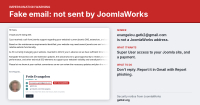
  4. Security notice: emails impersonating the K2 developer

    Emails sent from evangelou.getk2@gmail.com do not come from JoomlaWorks or from Fotis Evangelou, the developer of K2. JoomlaWorks does not own or control this address.

    Since 14 October 2026, Joomla site owners have been receiving unsolicited emails that use Fotis Evangelou's name, a link to getk2.org and his public LinkedIn profile, together with a photograph of a different person. Several clients of JoomlaWorks and members of the Joomla community have forwarded these messages to us.

    Their purpose is to obtain administrator access to the recipient's website and a payment for services that will not be delivered.

    If you have received one of these emails, do not reply and do not create any user account.

    This notice describes the messages, explains how to verify genuine correspondence from JoomlaWorks, and sets out the steps to take if you have already responded.

    Description of the messages

    The initial message carries the subject line "Important: Joomla Website Updates and Technical SEO Optimization Before October 25".

    The message states that:

    • "Joomla support" contacted the sender by telephone regarding the recipient's Joomla installation, extensions and configuration.

    • The website requires core and extension updates before 25 October.

    • The sender is "currently managing" the recipient's website.

    • A review of the website's SEO configuration and technical optimisation should be carried out at the same time.

    The signature includes Fotis Evangelou's name, the title "Founder · K2", links to getk2.org and to his LinkedIn profile, a postal address and a profile photograph. The photograph does not depict Fotis Evangelou.

    None of these statements are accurate. Joomla is a volunteer-run open source project. It has no support service that contacts developers about third-party websites, and there is no Joomla deadline on 25 October. Replies to the address trigger an automatic response that repeats the original message, followed later by a personal reply from the sender.

    Objectives of the scam

    The full exchange with the sender has been documented, with screenshots and message headers, by Phil Taylor of mySites.guru: Be Aware Of Joomla Developer Impersonation Scams. It shows that the sender pursues two objectives:

    1. Administrator access. The recipient is asked to create a Joomla Super User account named "Fotis Evangelou" with the address evangelou.getk2@gmail.com, on the pretext of restoring lost access. A Super User account grants full control of a website, including the ability to install extensions, execute code, read the database and create further administrator accounts.

    2. Payment. The recipient is offered maintenance plans priced between $350 and $550 and then receives an invoice through a third-party invoicing platform. The invoice is issued under a different name, and the sender asks the recipient not to use the platform's escrow option, which would withhold payment until the work is confirmed.

    The messages pass SPF, DKIM and DMARC authentication. These checks confirm only that the messages were sent from that Gmail account. They do not establish who registered the account, and any person can register a Gmail address containing a well-known name.

    Verifying correspondence from JoomlaWorks

    • JoomlaWorks and Fotis Evangelou correspond with clients and collaborators only from @joomlaworks.net & @getk2.org. We do not use Gmail or other free email services for this purpose.

    • We do not send unsolicited messages claiming to have been contacted by "Joomla support" about a website.

    • We do not request the creation of Super User or administrator accounts by email, and we do not ask for login credentials to be sent by email.

    • We do not issue invoices through third-party invoicing platforms or under the name of another person.

    If you are uncertain whether a message is genuine, do not use any address, telephone number or link it contains. Contact us through a channel you used before the message arrived, or through the contact page on this website.

    Recommended action for recipients

    1. Do not reply. A reply confirms that your address is active and initiates further contact.

    2. Report the message to Google. In Gmail, open the message and select Report phishing. Reports can also be submitted through Google's Gmail abuse form. Multiple reports concerning the same account carry more weight.

    3. Delete the message and inform any colleagues who may have received it.

    If you have already created an account or made a payment

    1. Block or delete the account in Users: Manage, then change the passwords of all Super User accounts.

    2. Review the user list for any other Super User or administrator accounts you do not recognise.

    3. Review System: Manage: Extensions for recently installed extensions you did not install, and check the User Actions Log for activity by the new account.

    4. If the account was used, treat the website as compromised. Restore a known clean backup or have the website audited before returning it to service.

    5. If you made a payment, contact your bank or card provider and the invoicing platform immediately and report the transaction as fraudulent.

    Reports filed

    • JoomlaWorks has reported the Gmail account to Google as an impersonation, with the full message headers.

    • The Joomla Security Strike Team has confirmed the impersonation and has also reported the account to Google.

    • The fraudulent invoice has been reported to the invoicing platform and its payment processor.

    This notice will be updated if further information becomes available.

    Other developers affected

    According to the mySites.guru report, similar messages are being sent under the names of other well-known members of the Joomla community. We recommend treating any unexpected request for website access or payment with the same caution, regardless of the sender's name, and verifying it through a channel you already trust.

    We thank the clients and community members who reported these messages. Please share this notice with anyone who manages a Joomla website.


    The above has been cross-posted on getk2.org as well.

  5. Joomla 3.x UTD v3.17 now available - a milestone release for this project!

    Joomla 3.x UTD v3.17 is out - the biggest release of this project so far, along with a brand new website & 3 live demo sites for our 3 new templates.

    According to market share estimates (as of May 2026), Joomla 3.x is currently used on more than 50% of all installed Joomla sites worldwide. However, official support for Joomla 3.x ended in February 2025 (counting the eLTS program).

    Back in April we launched the first version of Joomla 3.x UTD - an up-to-date distribution of the Joomla 3.x content management system, built to ensure code security, support modern PHP & MySQL/MariaDB versions & fix any broken behaviour that never got sorted before the release of newer major versions of Joomla.

    Releases 3.11 to 3.16 delivered on those primary goals: PHP up to 8.5 and security in-line with Joomla 5 & 6. A few days ago we wrote about what's coming next - fixing what was left unfinished (database drivers beyond MySQL/MariaDB) or never properly implemented (frontend templates that actually showcase a capable CMS).

    Well, that's all in v3.17, released today. And then some.

    A new home: j3xutd.joomlaworks.net

    Joomla 3.x UTD now has its own website at https://j3xutd.joomlaworks.net.

    Up until now, everything about this project lived in the README file on GitHub. The new site puts it all in one place, in a format that's a lot easier to browse & share with clients, colleagues or your hosting company:

    • What's new in the latest release
    • The 3 new templates, with screenshots for desktop, mobile & dark modes
    • Install & upgrade instructions (Web UI, SSH one-liner and fresh installs) with copy-paste ready commands
    • The command line & MCP server, including the full list of all 100 commands
    • Compatibility notes for PHP and a database support table for every database vendor
    • The changelog of every release since v3.11
    • A full list of security fixes per release, with their origin (backported from Joomla 5/6, CVE IDs, or issues found in stock Joomla 3 by us)
    • Our long-term plan & ways to get involved

    The GitHub repository at https://github.com/joomlaworks/joomla-3.x remains the place for code, releases, discussions & issues - and you can subscribe to the releases feed to be notified of new versions.

    3 live demo sites, one for each new template

    Each of the 3 new templates runs live with its own sample data, exactly as a new site gets it from the installer. All 3 demo sites run on PHP 8.5 with SQLite as the database:

    Click around, test them on your phone, and torture them as much as you like - we're still eager to see how SQLite holds up!

    What's new in v3.17

    Here's a summary:

    • Every major database, tested: MySQL/MariaDB (native & PDO), PostgreSQL (native & PDO, now fixed for PHP 8.1+), SQL Server & Azure SQL (tested on SQL Server 2022 with both drivers) and SQLite (new). MySQL 8.0, 8.4 and 9.x work with their default authentication (caching SHA-2) - no more my.cnf changes to switch to "native" passwords.
    • SQLite (experimental): a whole site in one file. We use WordPress' emulation layer, so MySQL SQL from Joomla and your extensions runs unchanged. WAL mode lets visitors keep reading while a write happens, and sessions are kept in PHP so browsing writes nothing to the database. Ideal for spinning up dev sites in seconds or keeping a site in Dropbox/OneDrive, but also practical for small to medium sites with caching enabled. Busy shops or forums with many concurrent writers are still better off on MySQL/MariaDB.
    • A brand new installer: app-style, with a sidebar of steps, dark mode and right-to-left support, built with plain HTML, CSS & JavaScript. It supports every database driver, removes the installation folder for you when you continue to the site, and once installed, only the browser that installed the site can go on.
    • 3 brand new frontend templates: Hammond (news), Finch (blogs) and Rookwood (studios & companies). Plain CSS & JavaScript, no jQuery, Bootstrap or MooTools, system fonts & SVG icons, built for Google's Core Web Vitals and using 100% core Joomla extensions. Each comes with an editor.css so your WYSIWYG editor shows articles with the site's fonts, colours & layout, and a css/custom.css that updates never touch.
    • Sample data made for each template: News (227 articles in ten sections), Blog (20 essays in four topics) and Studio (9 case studies & 16 journal posts). Pick one in the installer, or switch sets later from the Control Panel, as if the site had been installed with that set from the start.
    • A command line for everything: cli/joomla.php now ships with 100 commands for content (articles, categories, tags, modules, menus), templates (with undoable changes & backups), databases (export, import, optimize and database:convert between MySQL, PostgreSQL & SQLite in any direction), health checks, logs and more. Every command has JSON output and dry runs, and where Joomla 4 or newer has a command, ours uses the same name.
    • A built-in MCP server: Claude, ChatGPT, Gemini, Qwen, Kimi, GLM and other AI assistants can work with your site through the Model Context Protocol. It's read-only unless you allow writes (--allow-write), anything that puts code on the server needs --allow-code too, and every change is recorded in the User Actions Log. Details in our AI & CLI guide.
    • TinyMCE 8 is the default editor for new sites: image uploads by dropping or pasting, a toolbar builder per user group and 61 languages. TinyMCE 4 stays as "Editor - TinyMCE (legacy)" for existing sites.
    • Quality of life in the backend: a new responsive login page, one-click Clean Cache in the status bar (plus Clean Everything and Global Check-in for administrators), Install from Web back as the first tab, and Help buttons that work again.
    • Post-installation Messages now tell the story of this distribution, one message per release since v3.11, instead of stock Joomla's notes from the 3.2–3.10 era.
    • Thousands of fixes: long-standing bugs in the API sorted, database errors handled as Joomla expects on PHP 8.1+, and every PHP deprecation we could find removed - including thousands while Smart Search indexes.

    22 security fixes

    v3.17 also includes 22 security fixes. And this time most of them were not backports - they were issues present in stock Joomla 3 all along, found while auditing the codebase ourselves. A few examples:

    • Crafted packages could write files outside the site's folders through Joomla Update's extraction, the extension installer or the archive code - such packages are now refused as a whole.
    • Anyone could run the installer again on an installed site while the installation folder remained.
    • The configuration writer could put PHP code into configuration.php through a crafted setting name.
    • The MySQL (PDO) and PostgreSQL drivers ran several SQL statements given at once - every driver now runs one, like "mysqli".
    • {loadmoduleid} showed any module to anyone, whatever its access level or publishing dates.

    Our opt-in Little WAF plugin (introduced in v3.16) now also checks form data and encoded spellings of the tags it filters.

    The full list is on the security section of the new site and in the detailed changelog.

    How to upgrade (or start fresh)

    For existing Joomla 3.x sites (any 3.x release), in the backend open the Joomla Update options (or Global Configuration) and set:

    • Update Channel: Custom URL
    • Minimum Stability: Stable
    • Custom URL: https://joomlaworks.github.io/joomla-3.x/list.xml

    Refresh and v3.17 will show up. If your site is already on Joomla 3.x UTD, it's waiting for you there already.

    Prefer SSH? cd into your Joomla site's folder and run:

    wget -qO- https://github.com/joomlaworks/joomla-3.x/archive/refs/heads/main.tar.gz | tar -xz --strip-components=1 && rm -rf installation .github .gitignore *.md

    For new sites, download the latest release and open it in a browser, or install a complete site on SQLite from the command line in about a second (sample data included):

    wget -q https://github.com/joomlaworks/joomla-3.x/releases/download/rolling/joomla-latest.zip && unzip -q joomla-latest.zip && rm joomla-latest.zip && php cli/joomla.php core:install --site-name="My Site" --admin-email=me@example.com --admin-username=admin --sample-data=news

    (Swap news for blog or studio.)

    What's next

    With v3.17, Joomla 3.x UTD is secure, current & - for the first time - showcases what a fast, approachable CMS built on Joomla 3.x can look like out of the box. We'll keep backporting security fixes & fixing bugs as they're reported.

    In parallel, our leaner fork based on Joomla 3.x (a separate project) is moving along very actively: stripped down, K2 for content, first-class MySQL/MariaDB, PostgreSQL & SQLite support, a refreshed administrator and modern JavaScript only. The command line & MCP server in v3.17 are the seed for what we want that project to become: a truly agentic CMS.

    If you're a Joomla extension developer reading this, make sure your extension update XML files don't stop at Joomla 3.10.x. Do your users a favour ;)

    Found a bug? Report it in our GitHub Discussions. Want to contribute a fix or a meaningful upgrade? Open an issue.

    Happy updating!